
How to Submit an Abstract for the PGRSC Conference
Submitting an abstract to the Pacific Islands GIS & Remote Sensing User Conference is done directly through the PGRSC Abstract Submission dashboard.
You do not need to be a PGRSC member to submit an abstract. Both PGRSC members and non-members can submit a proposal.
This step-by-step guide explains how to access the submission system, complete your abstract, select your presentation format, and manage your submission.
1. Log in to the PGRSC website
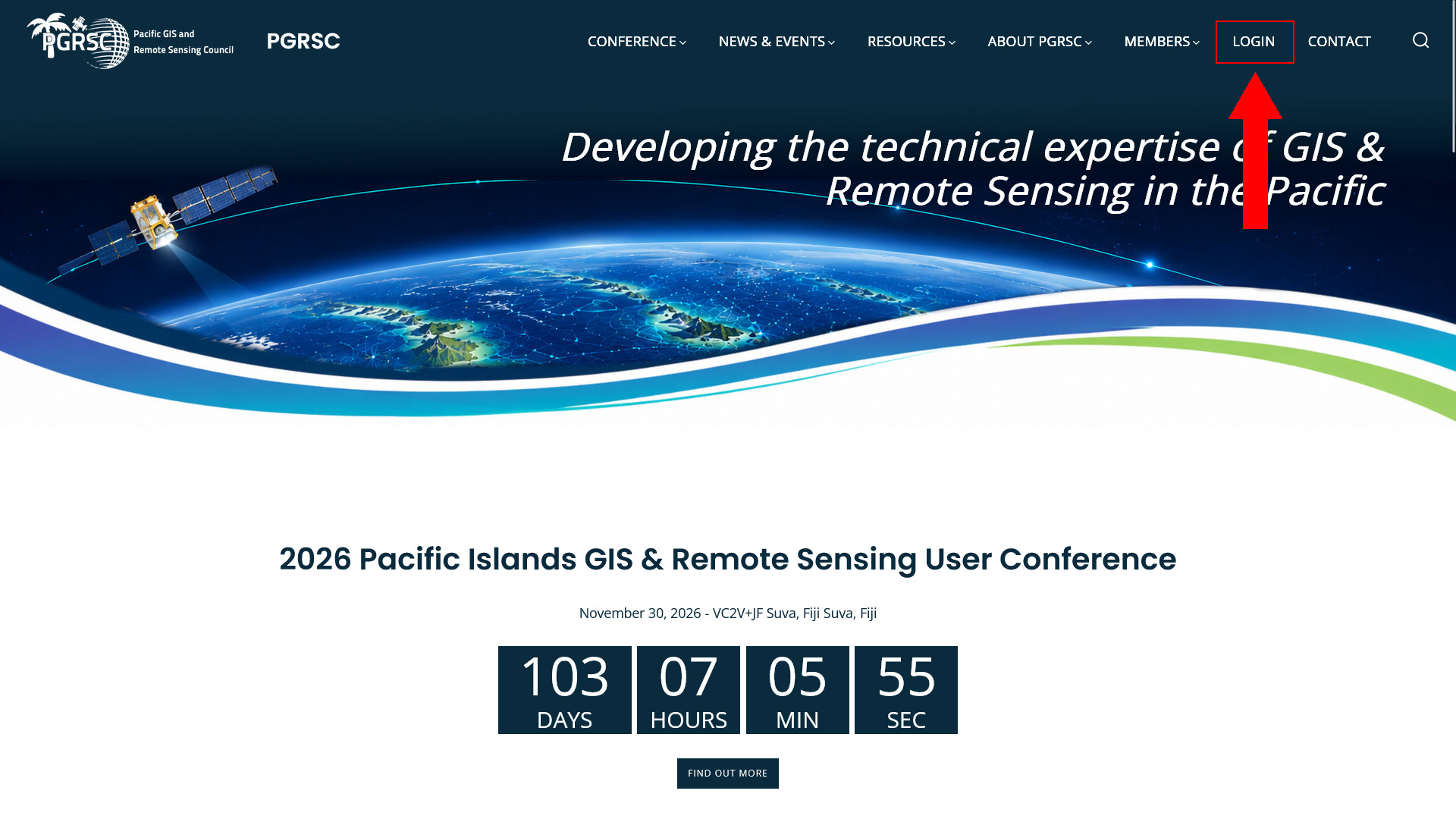
From the PGRSC website, click LOGIN in the top menu.
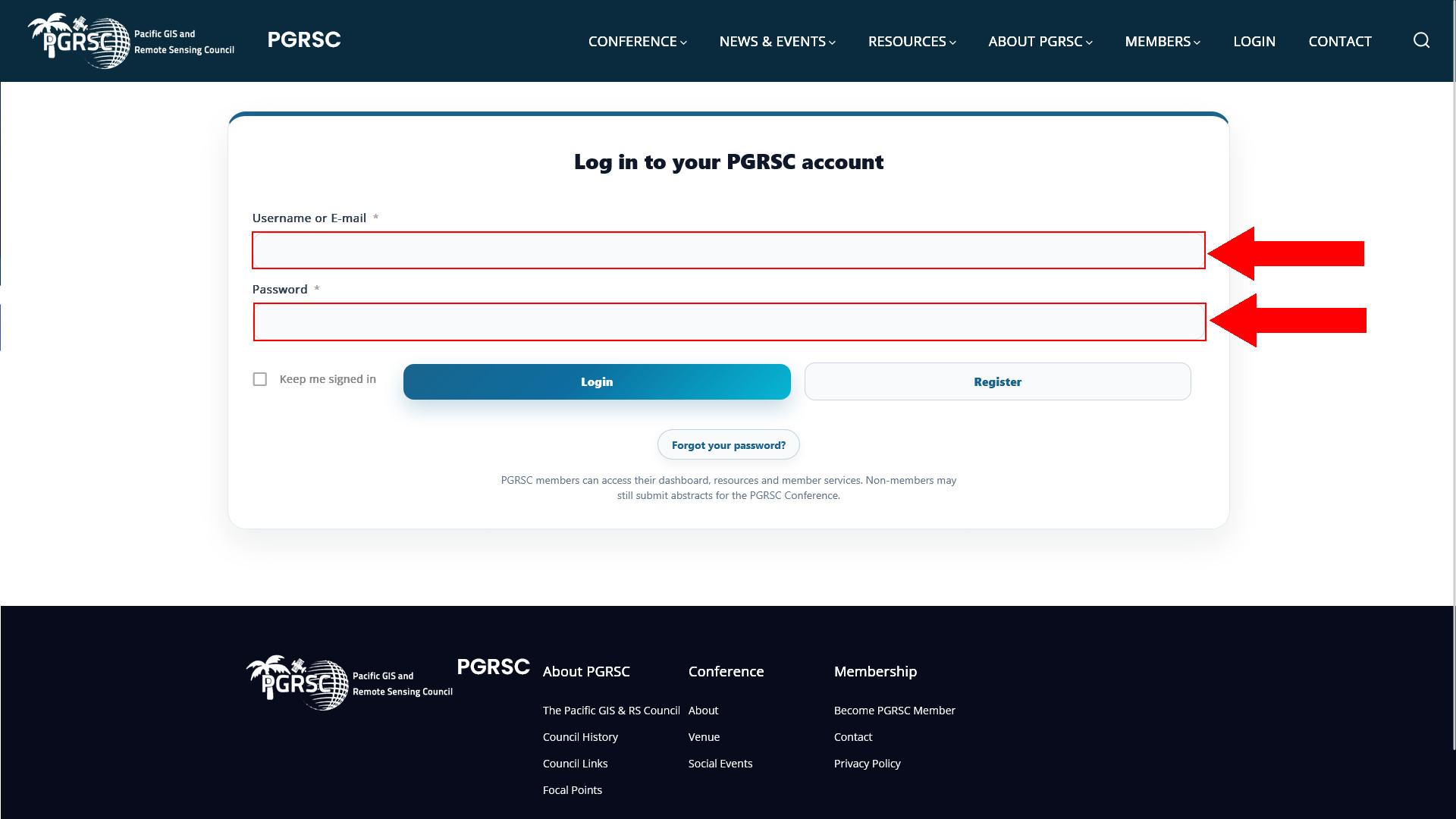
On the login page, enter your Username or E-mail and Password, then click Login.
If you do not yet have an account, click Register to create one.
Forgotten your password? Use the Forgot your password? button to reset it.
Important: You do not have to be a PGRSC member to submit an abstract. A website account allows you to access and manage your submission.
2. Open the Abstract Submission dashboard
How you access the submission page depends on whether you are a PGRSC member.
If you are a PGRSC member
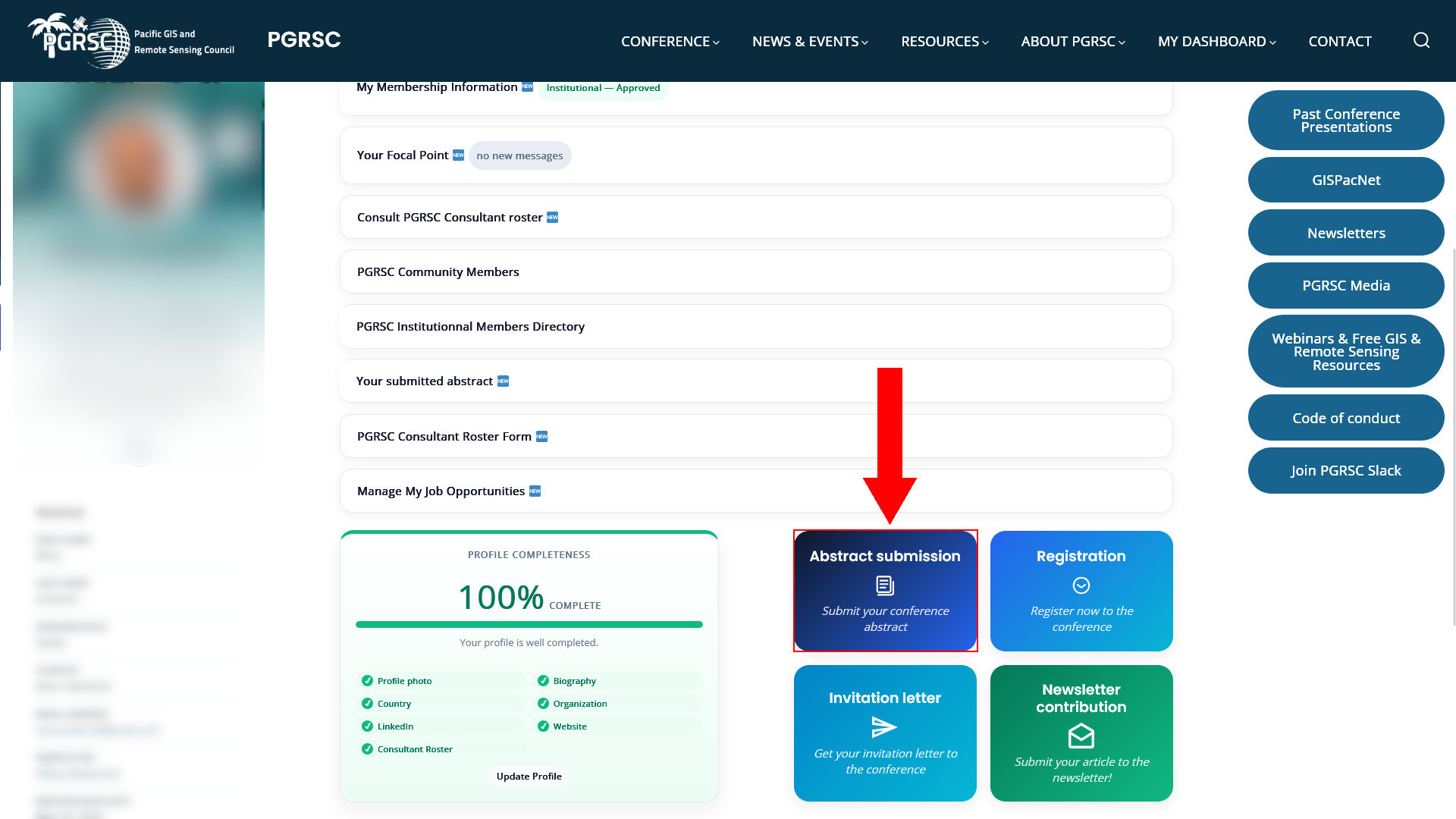
Once logged in, open MY DASHBOARD and click the Abstract submission button.
If you are not a PGRSC member
From the main website menu, go to:
CONFERENCE → Abstract Submission
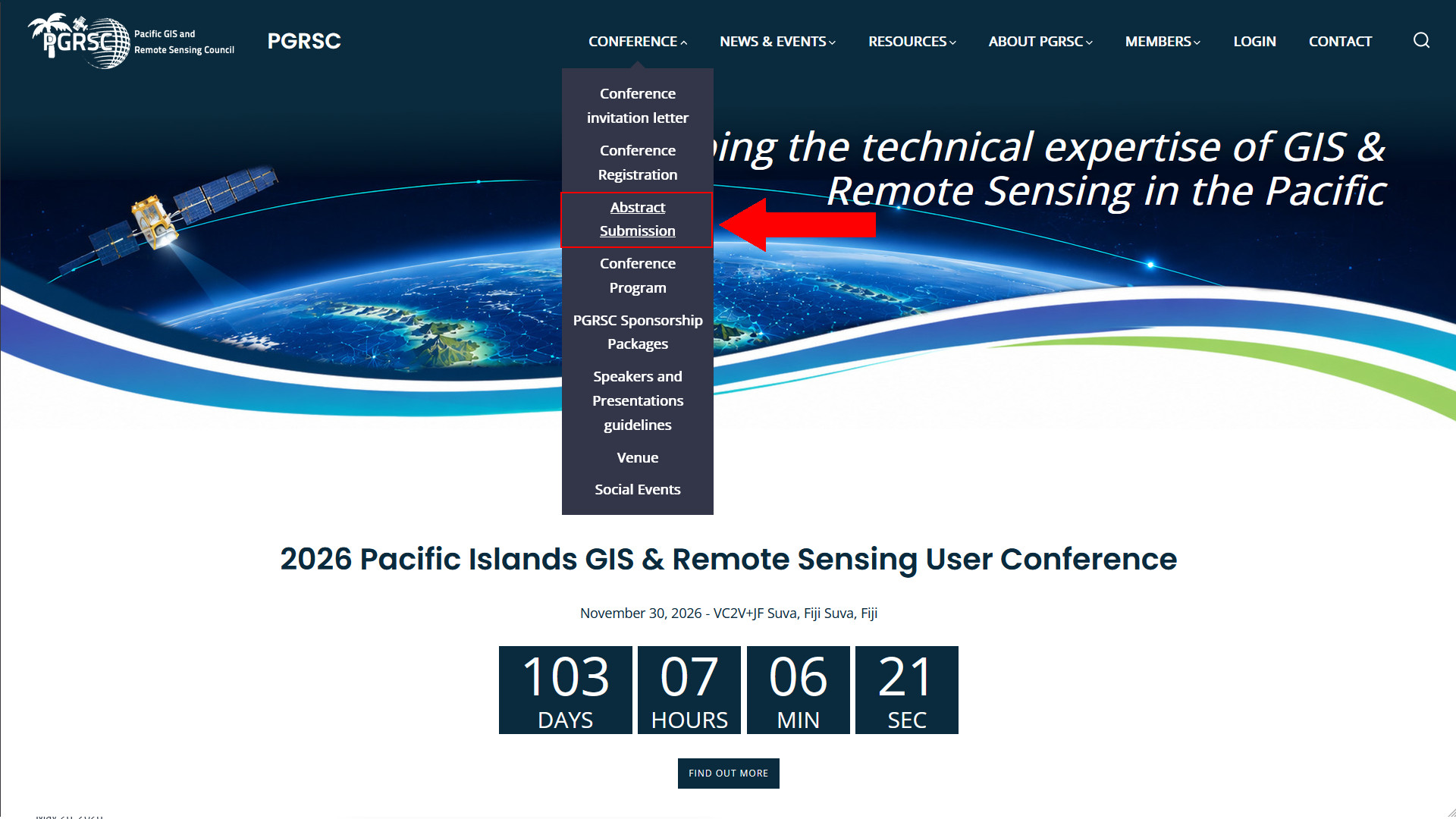
Both routes take you to the same Abstract Submission dashboard.
3. Access your submission dashboard
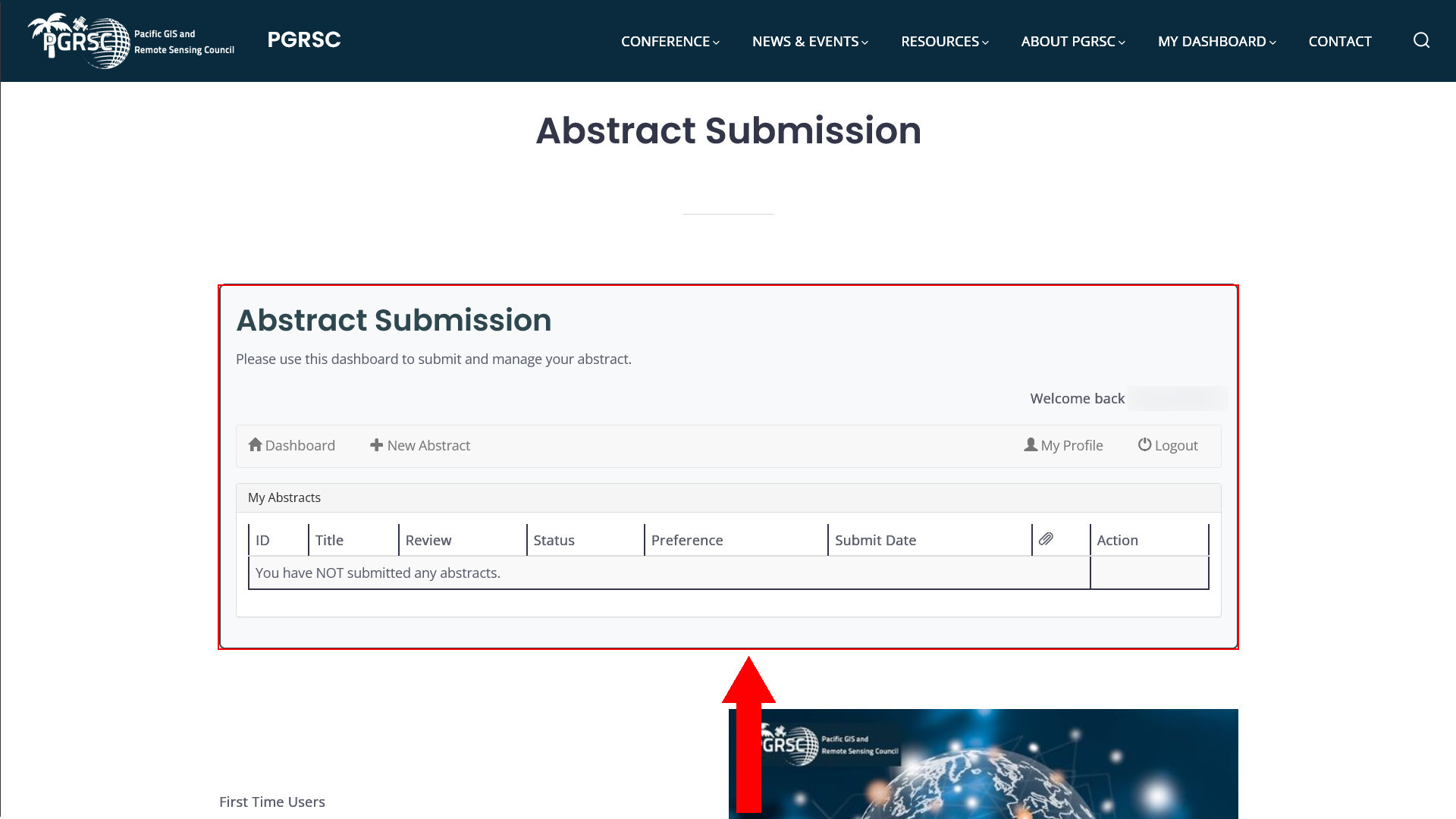
The Abstract Submission dashboard is where you can create and manage your conference abstracts.
Your existing submissions, if any, will appear under My Abstracts.
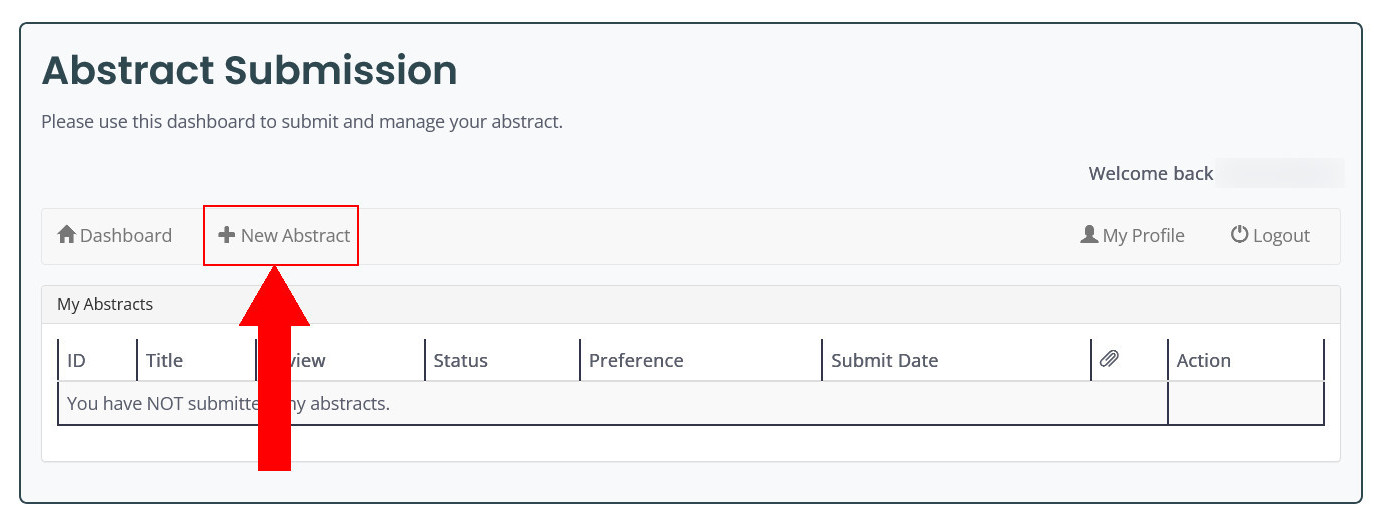
To start a new submission, click + New Abstract.
4. Enter your abstract information
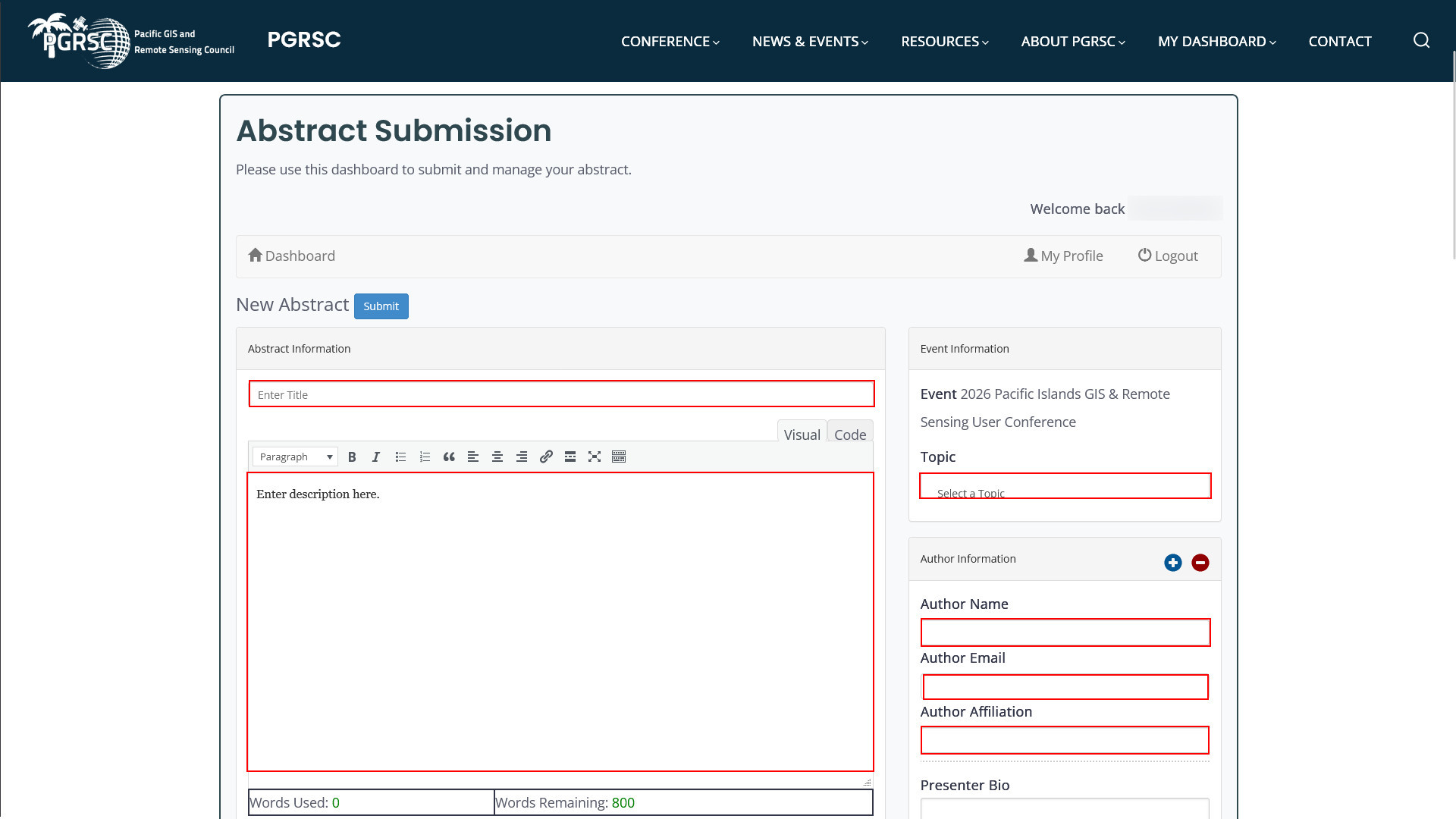
Complete the main Abstract Information section.
You will be asked to provide:
-
Abstract title
-
Abstract text
-
Conference topic
-
Author name
-
Author email
-
Author affiliation
The abstract editor shows the number of words used and remaining.
The maximum abstract length is 800 words.
Select the conference topic that best matches your submission.
If your abstract has several authors, use the + button in the Author Information section to add additional authors.
5. Add supporting files if required
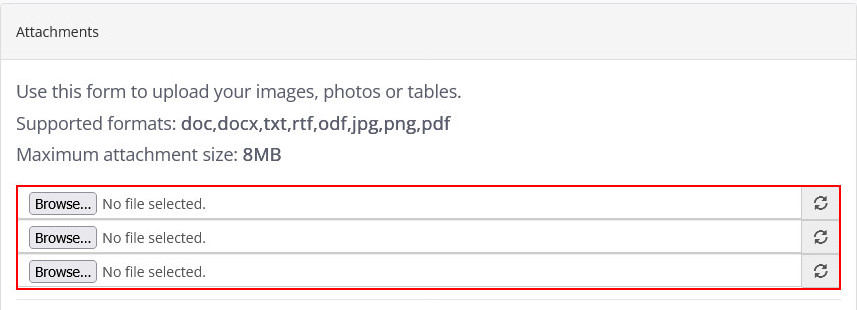
You can upload supporting material such as images, photographs, tables or other documents in the Attachments section.
Supported file formats include:
DOC, DOCX, TXT, RTF, ODF, JPG, PNG and PDF
Maximum attachment size: 8 MB
Only attach files that are relevant to your abstract.
6. Add the presenter biography and photo
Provide a short Presenter Bio for the presenting author.
You can also upload a Presenter Photo.
Accepted photo formats are:
JPG, JPEG and PNG
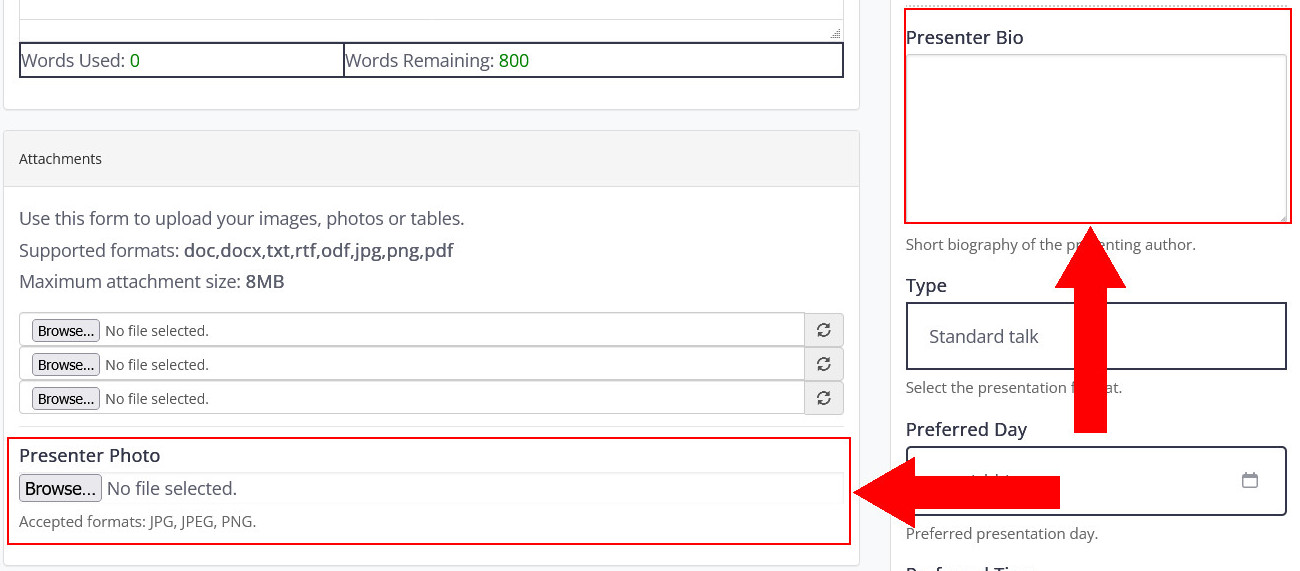
These details may be used to introduce presenters and prepare conference communication material, subject to the consent option provided later in the form.
7. Select your presentation format
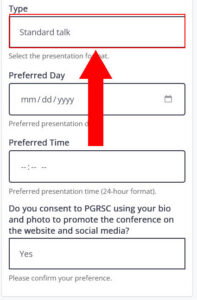
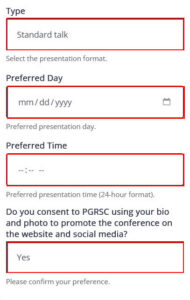
Under Type, select the presentation format you are applying for.
Three formats are available:
Standard Talk
15-minute presentation + 5 minutes for questions
Suitable for presenting a project, research results, operational experience, case study or technical development in a standard conference session.
Lightning Talk
3-minute presentation + 2 minutes for questions
Suitable for a concise presentation of an idea, project, result, initiative or opportunity.
Workshop
2 to 4 hours
Suitable for interactive or practical sessions requiring more time for demonstrations, training, exercises, or in-depth discussion with participants. Workshops are held on the final day of the conference, usually Friday.
Select your preferred format from the Type field.
8. Provide your scheduling preferences
If you are able to present at any time, please leave these fields blank. To help us accommodate presenters with travel constraints, we kindly ask that you indicate a preference only when necessary.
If your travel or flight arrangements limit your availability during the conference, please indicate your preferred day and/or time for presenting.
The preferred time is entered using the 24-hour format.
These fields allow you to indicate your preferred presentation schedule.
You will also be asked:
“Do you consent to PGRSC using your bio and photo to promote the conference on the website and social media?”
Please select your preference.
9. Submit your abstract
Once all the required information has been completed, review your submission carefully.
Check in particular:
-
your abstract title;
-
the abstract text;
-
the selected conference topic;
-
author names and affiliations;
-
presenter information;
-
your selected presentation format;
-
any attachments you have uploaded.
When everything is ready, click Submit at the top of the form.
Your abstract will then appear in your My Abstracts dashboard, where you can follow its status.
10. Manage your submitted abstract
You can return to the Abstract Submission dashboard to view your submitted abstracts.
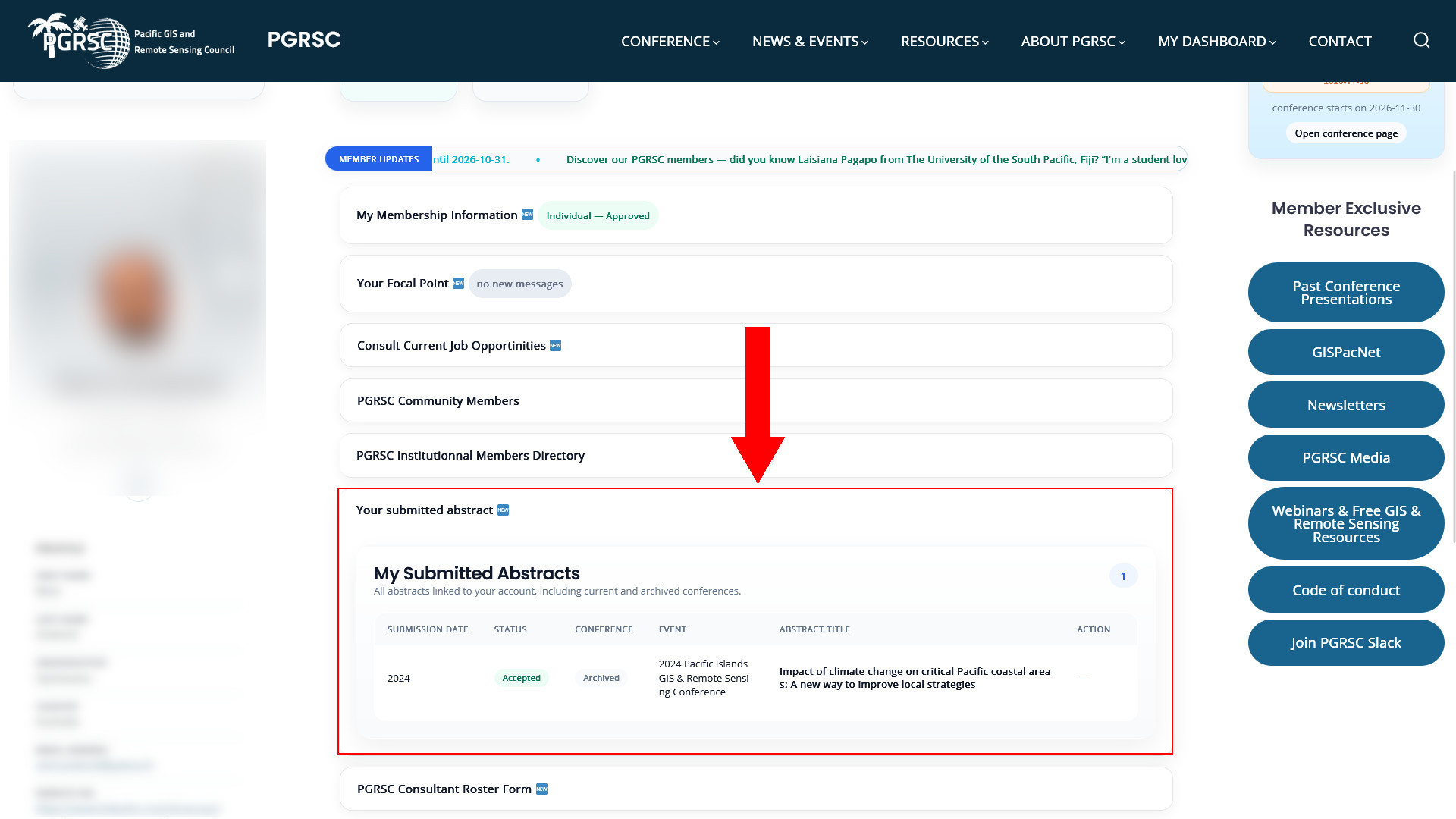
PGRSC members can also access their submissions directly from MY DASHBOARD, under Your submitted abstract.
This section provides an overview of abstracts associated with your account, including current and archived conference submissions and their status.
Before you start — Quick checklist
Before opening the submission form, we recommend having the following information ready:
-
Your abstract title
-
Your abstract text — maximum 800 words
-
The most appropriate conference topic
-
Full name, email and affiliation of each author
-
A short biography of the presenting author
-
A presenter photo in JPG, JPEG or PNG format
-
Any supporting attachments you wish to include
-
Your preferred presentation format:
-
Standard Talk — 15 min + 5 min Q&A
-
Lightning Talk — 3 min + 2 min Q&A
-
Workshop — 2 to 4 hours
-
-
Your preferred day and time, if applicable
-
Your preference regarding the use of your bio and photo for conference promotion
Need help?
If you experience any difficulty accessing the submission system or submitting your abstract, please contact the PGRSC Conference Committee by email conference@pgrsc.org.
We look forward to receiving your abstract and welcoming you to the Pacific Islands GIS & Remote Sensing User Conference.